How to Start a Phone Farm: A Beginner's Roadmap
Start a phone farm in order: goal, accounts, content, rent or buy (from $630 a month or $1,880), software, then a 30-day plan with warm-up before posts.

To start a phone farm, decide first what the phones are for, then how many accounts that takes, where the content comes from, and whether to rent or buy the phones. Rent ten phones to test the workflow (from $630 a month, software included), or buy a 20-phone box when you know the farm will run for a year ($1,880 for Android, plus freight and $99 a month for software). Then spend the first 30 days warming up accounts before you post. This is the business roadmap, not a wiring guide. The hardware and control side is what we sell and set up with you, so the decisions that are actually yours come first.
Step 1: What is the farm for?
Every other decision follows from the goal. Write it down in one sentence before you look at hardware. Common ones:
- Grow your own brand across TikTok, Instagram, YouTube and Facebook with more accounts than one person can run by hand.
- Agency work: run client accounts from real phones, with a log of who did what.
- E-commerce: product videos on many accounts that each point to a shop.
- Creator operations: repost and test clips across niches to learn what works.
The goal sets the numbers. A brand test needs a handful of accounts. An agency needs room for every client plus a spare. A goal like "get views" is not specific enough to plan with. "Ten accounts in the home fitness niche, one post a day each, for three months" is.
Step 2: How many accounts, and on which platforms?
Plan accounts, not phones. The phone count follows.
A simple rule keeps it clean: one phone per account group, so each phone has a clear job and its own history. Decide for each account:
- Platform: TikTok, Instagram, YouTube, Facebook, Snapchat, Threads, X or Reddit — the software works with all of them.
- Niche: one topic per account, written down. In our software the niche is an instruction, not a label: the automations only like, comment and follow on videos that match it.
- Language: which video languages the account engages with and which language it comments in.
Read each platform's terms before you plan. They set rules on multiple accounts, automation and inauthentic behavior, and those rules change. A phone farm run well looks like real people using real phones at a human pace, with content that belongs to you. Planning to break the rules is not a business plan.
Step 3: Where does the content come from?
Phones and software handle the repetition. They do not come up with ideas. Before you buy anything, answer:
- Who makes the videos? You, a team, an editor, a client.
- How many a week? Multiply accounts by posts per account. Ten accounts at one post a day is 70 videos a week.
- Is it original? Reposting the same clip across accounts is the fastest way to look like spam. Vary hooks, captions and edits per account.
In our software you upload videos to a library once and send them to many accounts, each with its own caption, now or on a schedule. The Standard plan includes a 200 GB video library; the Full version 1 TB.
If you cannot name who makes the content for month two, solve that before you solve hardware.
Step 4: Should you rent or buy the phones?
This is the biggest money decision. Short version:
| Rent (hosted rack) | Buy (farm box) | |
|---|---|---|
| Start | On request | Ships in 1 to 2 weeks |
| Smallest size | 10 phones | 20 phones per box |
| Cost | Samsung $63, iPhone $79 per phone a month at 10–19 phones | Android box $1,880, iPhone SE box $3,700, iPhone 12 box $6,400, plus $230 freight |
| Software | Included | $99 a month (up to 25 phones) or $249 (up to 100) |
| Broken phone | We swap it | 12 months hardware warranty |
| Commitment | Monthly, no lock-in | You own it |
Rent when you are still testing the goal, when you need phones this week, or when the work starts and stops with clients. Ten rented Samsungs are $630 a month, and that is the cheapest honest test of whether a phone farm fits your business. See rent a phone farm.
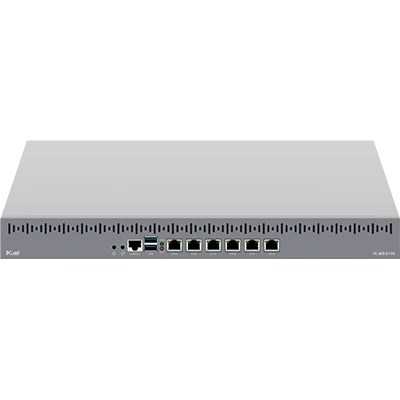
Buy when the farm will run for a year or more. A 20-phone Android box with freight and Standard software is cheaper than renting 20 Samsungs from the third month. If you already own iPhones, the stackable 20-slot rack is $299 and the empty Lightning box $690. All boxes are in farm boxes, and the full comparison with a month-by-month table is in rent vs buy a phone farm.
A common path: rent ten, prove the numbers, buy a box at 20, keep a rented rack for overflow.
Step 5: Android or iPhone?
Pick by where your audience is and what the content needs, not by habit. Android boxes are the cheaper way to 20 phones. iPhones cost more but some teams prefer them for the apps and cameras their content relies on. Both run in the same software.
Step 6: How do the phones get online?
The phones need a planned internet connection, and this is where many first farms go wrong. Do not guess. On hosted racks you choose between your own proxy (included), a managed mobile proxy at $95 a month plus $95 once per 20 phones, or a carrier SIM at $19 a month plus $10 activation per phone. On a box you own, you bring your own SIMs or proxies, and our team plans connectivity with you.
The options and what they cost are in phone farm proxies and SIMs.
Step 7: What software runs the farm?
A rack without software is a shelf of phones. Our control software runs in the browser and gives you:
- A live screen of every phone, with taps and swipes from the browser.
- Per-phone logs of who opened which phone and when.
- Team access: give an assistant specific phones, take it back in one click.
- Automations: warm-up plans, human-paced scrolling and liking in the niche, and posting from the phones themselves.
- Analytics: views and followers per account, 7 days on Standard, full history on the Full version.
Standard is $99 a month for up to 25 phones. The Full version is $249 a month for up to 100 phones, with priority support and a personal setup call. Yearly costs the price of ten months. Posts and accounts are not limited. Automations run on prepaid AI credit that you top up yourself (from $50), charged by what they actually use. Live view and manual control never use credit.
Connecting the phones depends on your setup, so our team does that part with you.
What should the first 30 days look like?
Resist the urge to post on day one. New accounts need a history before their posts reach anyone.
Week 1: set up.
- Phones online, either rented or your box connected with our team.
- Add each account in the portal: platform, phone, niche, keywords, languages. Log in to each app yourself through the live view.
- Upload your first batch of videos to the library.
- Top up automation credit and check the cost calculator on the Billing page.
Weeks 1 to 3: warm up.
- Start a warm-up plan for every new account. The Standard preset runs 14 days; Careful runs 21 days and is safest for brand-new accounts. Quick (7 days) is only for aged accounts.
- The phone scrolls, watches and likes in the niche, a little more each day, with hard limits on follows and likes and a stop if the app shows an action block.
- Watch the portal for popups that need a person. The run pauses and tells you.
More on this in how to warm up TikTok and Instagram accounts.
Weeks 3 to 4: first posts.
- When an account finishes warming up it switches to Active.
- Schedule posts with spacing. Bulk scheduling adds small random offsets so no two posts land in the same minute.
- Keep each account active between posts with Be active or the daily planner.
Day 30: review.
- Check views and followers per account in analytics.
- Drop what does not work, double what does. Change niches, hooks and posting times, one thing at a time.
- Then decide the next step: more accounts, more phones, or buy instead of rent.
The first 30 days
- Week 1: set upPhones online, accounts added with niche and languages, first videos in the library, credit topped up.
- Weeks 1–3: warm upA warm-up plan per new account: 14 days on Standard, 21 on Careful.
- Weeks 3–4: first postsWarmed-up accounts switch to Active; posts go out with spacing.
- Day 30: reviewCheck views and followers, change one thing at a time, then decide the next step.
What does a small start cost in the first month?
Two honest examples, using today's prices:
- Rent 10 Samsungs: $630 for the month, software included. Add $95 a month and $95 once for a managed mobile proxy, or use your own proxy at no extra cost. Plus your automation credit.
- Buy one Android box: $1,880 + $230 freight + $99 software = $2,209 in month one, then $99 a month. Plus your own SIMs or proxies and automation credit.
Every cost line, including VAT and yearly plans, is in how much does a phone farm cost. Not sure which fits? Ask us.
First-month cost of a small start
| First-month cost of a small start | |
|---|---|
| Rent 10 Samsungs | $630 |
| Rent 10 iPhones | $790 |
| Buy Android box (20) | $2,209 |
What mistakes should you avoid?
- Buying hardware before you know the goal. Rent first if you are unsure.
- Posting from cold accounts. Warm up for two weeks.
- Too much activity too soon. Ramp slowly and keep the limits on.
- One clip on every account. Vary the content.
- No owner for the farm. Someone has to check the portal daily and answer popups.
- Ignoring platform terms. They decide whether your accounts last.
FAQ
How much does it cost to start a phone farm?
The cheapest real start is renting ten phones: $630 a month for Samsungs or $790 for iPhones, software included. Buying starts at $1,880 for a 20-phone Android box plus $230 freight and $99 a month for software.
How many phones do I need to start?
Ten is the minimum for a rental and enough to test a workflow. Boxes hold 20 phones. Plan from the number of accounts you need, not the other way round.
Do I need technical skills?
No. You work in the browser: live screens, accounts, posts and automations. Connecting the phones is the one technical part, and our team does it with you.
How long until I can post?
Plan on two to three weeks. Hosted phones are available on request, but new accounts should warm up for 14 to 21 days before their first post.
Does a phone farm guarantee views or income?
No. The phones and software handle the repetitive work. Reach depends on your content, your niche and each platform's rules, and no setup can promise results.
Can I start small and grow?
Yes. Rentals extend in blocks of ten, boxes add 20 phones at a time, and the Full version covers up to 100 phones with more in packs of 50.
Ready to run real phones?
Buy a 20-phone farm box, rent a hosted rack, or run our control software on hardware you already own.