TikTok Phone Farm: The Complete Guide
A TikTok phone farm runs one account per real phone from a browser. Start with a $1,880 Android box or rent 10 phones for $630 a month. Costs and rules.
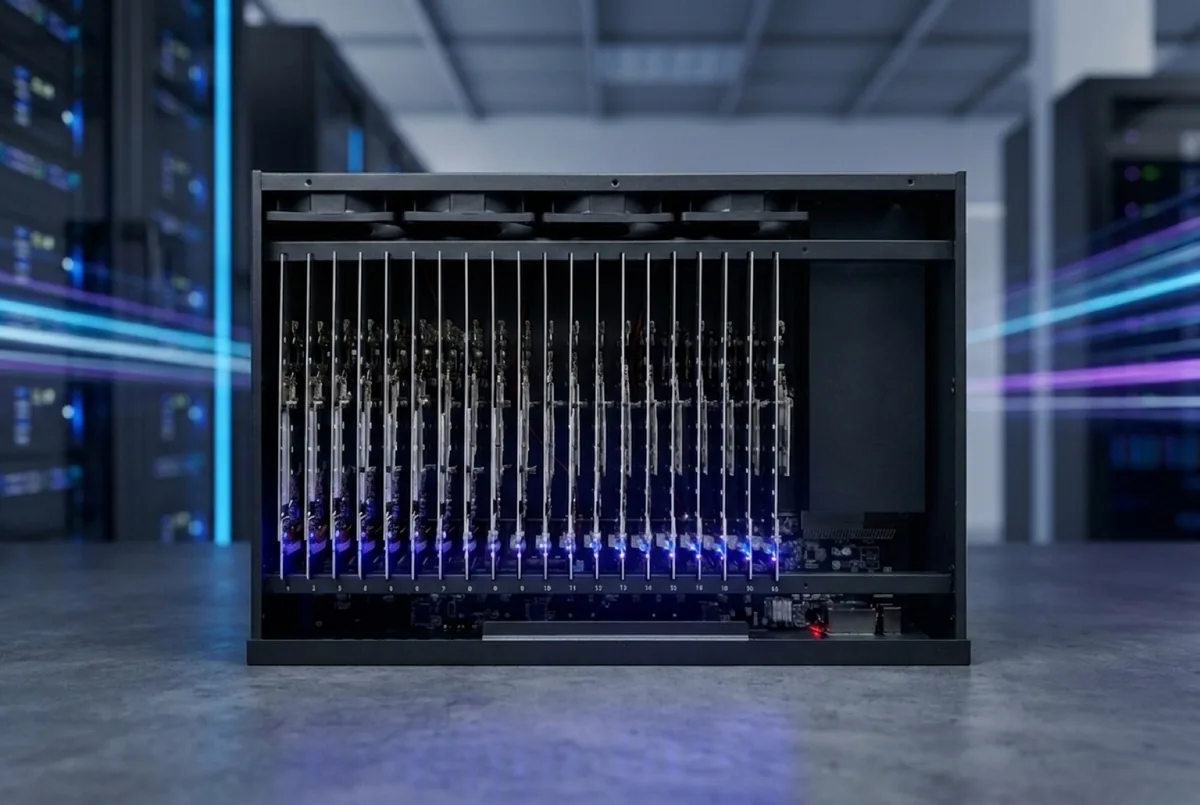
A TikTok phone farm is a rack of real phones, one TikTok account per phone, that your team runs from a browser: live screens, posting, warm-up and human-paced scrolling. You can start by buying a 20-phone Android box for $1,880 plus $230 freight and software from $99 a month, or by renting ten hosted Samsungs for $630 a month with the software included. This guide covers what a TikTok farm is, what it does each day, what it costs, and where the platform's own rules draw the line. Every price here comes from our shop, software and rental pages.
What is a TikTok phone farm?
It is a group of real smartphones, each running the TikTok app with its own account, mounted in a rack and managed from one screen. Instead of an operator juggling phones on a desk, the team opens a browser, sees every phone live, and works on any of them with taps and swipes from the laptop.
The phones are ordinary phones. TikTok runs in its normal app, the account logs in the normal way, and videos are posted from the phone itself. What changes is the scale one person can manage and the fact that routine work — posting on schedule, warming up new accounts, scrolling like a viewer between posts — can run as automations.
Who runs TikTok on a phone farm?
The teams we build for are social media agencies, brands with several regional or product accounts, e-commerce operations, and creator businesses that manage a roster of channels. What they share: many legitimate accounts, each with its own content and audience, and too much repetitive phone work for people to do by hand.
What does TikTok allow?
Read TikTok's Terms of Service and Community Guidelines before you build anything. In short, they are against fake engagement, spam, impersonation and misleading behavior. Running several genuine accounts — one per brand, client or niche, each posting its own content — is a common setup. Using a farm to fake views, likes or followers is not, and no hardware makes that safe.
That is why our automations are built to be human-paced: one account per phone, activity that ramps up slowly, likes and comments only on videos that fit the account's niche, and hard daily limits. We do not promise reach, views or protection from bans. What the software does is take away the repetitive work so your team can focus on content, which is what actually decides how an account does.
Why use real phones for TikTok?
- TikTok is a phone app. Posting, editing in the app, stories and most features are built for the phone first.
- One account, one device. Each account lives on its own phone with its own app install and settings, the way a real creator's account would.
- Content can be shot on the device. If your team films on the phones, the clips are already where they need to be.
- Your team works the way a person would. Anything you can do on a phone by hand, you can do from the browser.
Android or iPhone for a TikTok farm?
For most TikTok farms, Android is the cheaper start. iPhone makes sense when accounts must be on iOS or a client asks for it.
| Box | Phones | Price | Per phone | Ships |
|---|---|---|---|---|
| Android | 20 Android phones | $1,880 | $94 | 1 to 2 weeks |
| iPhone SE (3rd gen) | 20 × iPhone SE | $3,700 | $185 | 1 to 2 weeks |
| iPhone 12 | 20 × iPhone 12 | $6,400 | $320 | 1 to 2 weeks |
| Stackable rack | none — bring your own iPhones | $299 | — | about 1 week |
| Empty, Lightning | none — bring your own iPhones | $690 | — | 1 to 2 weeks |
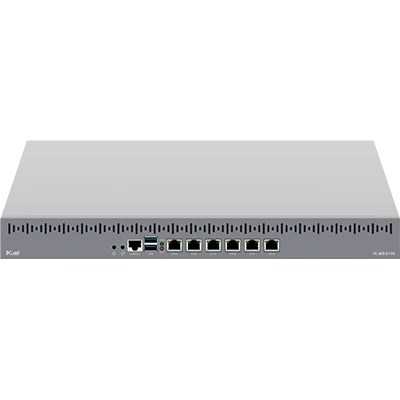
Every box is assembled, wired, cooled and burned in before it ships, with 12 months on hardware. Both kinds run in the same browser grid. The full trade-off is in iPhone vs Android phone farm, and phone models are compared in best phones for a phone farm.
What does a TikTok farm do each day?
A working farm has a daily rhythm. In our control software it looks like this:
- Warm-up for new accounts. A fresh account first builds a history before it posts.
- Posting. Videos from your library go out on schedule, one phone after another, in the real TikTok app.
- After posting. The phone keeps using TikTok for a few minutes like a viewer, then checks that the post is on the profile.
- Being active. Between posts, phones scroll, watch and like on-niche videos for a few minutes, following a daily plan you set.
- Checking. One page lists what needs a person: a phone offline, a post that did not go out, an account that was asked to verify.
Your team only steps in where it matters. When a popup appears during an automation, the phone does not tap it away on its own — the run pauses and waits for a person.
A TikTok farm's daily rhythm
- Warm-upNew accounts build a history before they post.
- PostingLibrary videos go out on schedule in the real TikTok app.
- After postingThe phone keeps watching, then checks the post is on the profile.
- Being activeScrolling and liking on-niche videos between posts.
- CheckingOne page lists what needs a person.
How do new TikTok accounts get warmed up?
A warm-up plan uses the app for one to three weeks before the first post: scrolling, watching to the end, liking, and later following and commenting, a little on day one and more each day. That builds the history a real viewer would have and shows TikTok what the account is about.
Our warm-up plans come in three presets — Careful (21 days), Standard (14 days) and Quick (7 days, only for an aged account). By default they stop if the app shows an action block, cap follows and likes, and warn you when a setting looks risky. A warm-up does not guarantee reach, and it cannot undo a ban. The full method is in how to warm up TikTok and Instagram accounts.
Warm-up presets: length before the first post
| Warm-up presets: length before the first post | |
|---|---|
| Careful | 21 d |
| Standard | 14 d |
| Quick (aged accounts only) | 7 d |
How does posting to TikTok work?
You upload clips to the library once, then create posts for as many accounts as you like, each with its own caption if it needs one. Schedule them now, for a date and time, or in bulk with spacing from every 15 minutes to once a day. Small random offsets mean no two phones post in the same minute.
TikTok posting is fully supported. Posts are unlimited on both software plans. You bring the content — the software handles the repetition, your team keeps the ideas. If you post the same clip to many accounts, expect that to perform worse than original content made for each account.
How do the phones get online?
Each phone needs its own way online, and this is where setups differ most. On our hosted racks you can use your own proxy (included), a carrier SIM per phone ($19 a month plus $10 activation), or a managed mobile proxy ($95 a month plus $95 once, one proxy for up to 20 phones). On a box you own, our team plans connectivity with you. The options are compared in phone farm proxies and SIMs.
What does a TikTok phone farm cost?
Buying 20 Android phones: box $1,880 + freight $230 = $2,110 up front, then Standard software at $99 a month (up to 25 phones) or $990 a year. Year one comes to about $3,300, plus your connectivity and the AI credit your automations use.
Renting: per phone per month, software included.
| Phones | Samsung | iPhone |
|---|---|---|
| 10–19 | $63 | $79 |
| 20–49 | $50 | $63 |
| 50+ | negotiated | negotiated |
Ten phones is the minimum, billing is monthly with no lock-in, and phones are available on request.
Software for bigger farms: the Full version is $249 a month for up to 100 phones, with more in packs of 50 for $79 each, full analytics history and a 1 TB library.
Automations such as warm-up, posting and being active read the screen with AI and run on prepaid credit you top up yourself, charged by use. The calculator in your account shows the cost before you start. Every line item is in how much does a phone farm cost.
Should you buy or rent a TikTok farm?
Rent when you want to test the workflow, run a short client project, or need phones this week. Buy when you know the farm will run for a year or more — on 20 Android phones, buying costs less from the third month. The month-by-month numbers are in rent vs buy a phone farm.
20 phones: buying vs renting, cumulative cost
| Buy Android box | Rent 20 Samsungs | |
|---|---|---|
| Start | $2,110 | $0 |
| M1 | $2,209 | $1,000 |
| M2 | $2,308 | $2,000 |
| M3 | $2,407 | $3,000 |
| M4 | $2,506 | $4,000 |
| M5 | $2,605 | $5,000 |
| M6 | $2,704 | $6,000 |
How many phones should you start with?
Start with as many accounts as you can feed with real content. Ten rented phones is the smallest setup and a sensible test. One 20-phone box fits the Standard plan with room to spare. Scale when the content pipeline keeps up, not before — a phone without new videos to post has little to do.
What mistakes do new TikTok farms make?
- Posting from day one. Skipping warm-up is the most common way to hurt a new account.
- Too much activity too fast. Ramp up over weeks, not hours.
- Engaging off-niche. Likes and comments outside the account's topic confuse what the account is about.
- Too little content. Twenty phones need a steady supply of clips.
- No one watching. Look at what needs you once or twice a day; problems caught early are small.
Not sure which setup fits your accounts? Ask the team before you order.
FAQ
Is a TikTok phone farm allowed?
Running several genuine accounts on real phones is a common setup, but every account has to follow TikTok's Terms of Service and Community Guidelines. Fake engagement, spam and impersonation are against them, and no farm makes that safe.
How many TikTok accounts can one phone run?
We plan one account per phone. That keeps each account on its own device, with its own app and settings, the way a real creator's account works.
What is the cheapest way to start a TikTok farm?
Rent ten hosted Samsungs for $630 a month with the software included, or buy the stackable 20-slot rack for $299 if you already own iPhones.
Can the software post to TikTok automatically?
Yes. Posting to TikTok is fully supported: schedule posts or bulk-schedule a library, and each phone posts in the real app at the time you set. Posting uses automation credit.
Does a phone farm guarantee views or followers?
No. The farm handles the repetitive work. Reach depends on your content and on how each account is used, and we do not promise views, followers or protection from bans.
Do I need technical skills to run it?
No. Your team works in a browser with a login. Our team sets up the connection with you, and the help center explains every page.
Ready to run real phones?
Buy a 20-phone farm box, rent a hosted rack, or run our control software on hardware you already own.