Phone Farm Software: What to Look For
A phone farm control panel needs live screens, per-phone logs, assistant access and automations, with nothing for you to install. What to check first.
Good phone farm software shows every phone live in the browser, logs every session per phone, lets you give assistants access to specific phones and take it back, leaves the phones' apps and settings as they are, and runs the repetitive work — posting, warm-up, scrolling — as automations. A rack without software is a shelf of phones. The control panel is where your team actually works, so it decides how many phones one person can run, how safely assistants get access and how fast you notice a problem. Here is what we built into ours, and why — whether or not you end up using it.
Can you see every phone live?
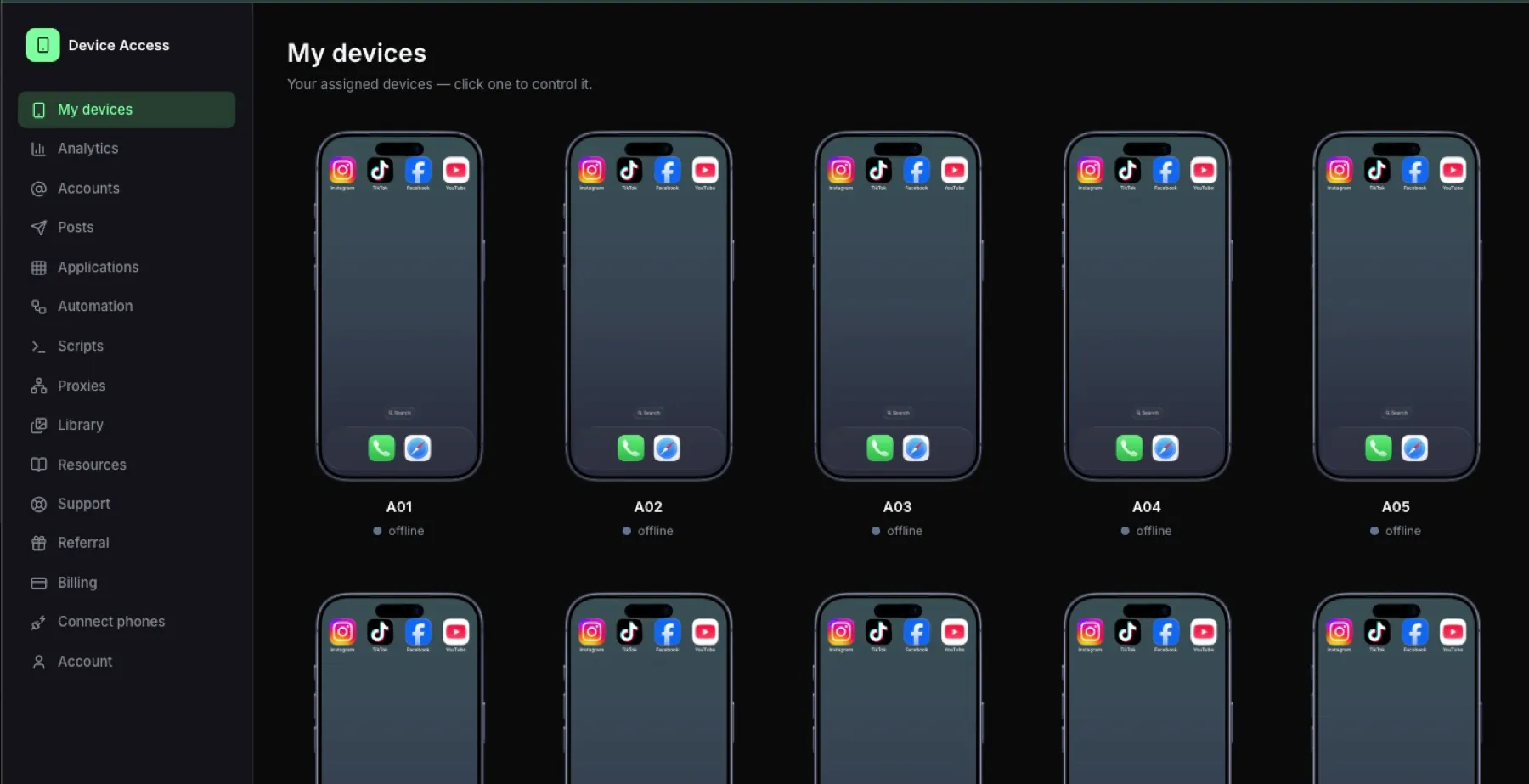
The first screen should be the whole rack: live thumbnails, ordered the way the slots are wired. Colour tells you what is online, busy or needs a look. Click one and it is your phone — full screen, full touch, keyboard from your laptop, copy and paste through.
Without this, operators end up with a phone in one hand and a spreadsheet in the other.
Is every session logged per phone?
Every session should be recorded: who opened which phone, when and for how long. This is not surveillance for its own sake — it is how you answer "why did account 12 get flagged on Tuesday" without guessing, and how an agency shows a client what was done on their accounts. Ours keeps the logs per phone and per person for twelve months.
Can assistants get access without seeing everything?
Most farms are run by a team, often remote. The panel should let you give an assistant one phone or ten, set for how long, and pull access back in one click, with the assistant seeing only the phones assigned to them. Ours has no limit on assistants, which matters when people come and go.
Do I have to install anything on the phones?
Not yourself. Your social apps, accounts and settings stay exactly as they are — our team sets up the connection with you, and a small connector on the computer the phones are plugged into brings them into the browser. Assistants need a browser and a login, not a setup guide.
Does it run on your own hardware?
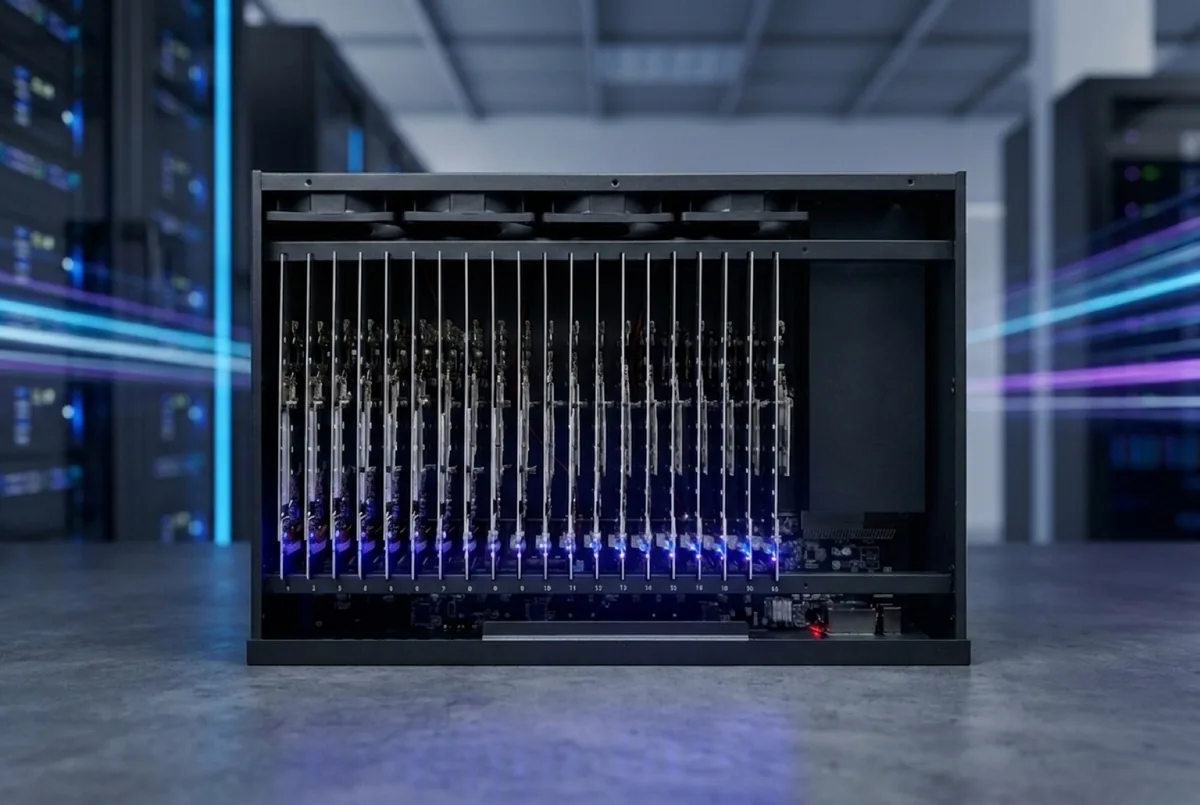
If the software only runs on the vendor's box, you are locked in. Ours runs on our farm boxes — Android and iPhone — and on your own Android phones. The licence follows the slot, so swapping a phone does not cost a seat. If you are deciding between building and buying, see build vs buy a phone farm rack.
What should the automations do?
Remote control is the start; the time savings come from automations. Ours posts from the phones themselves, runs account warm-up sequences, scrolls and watches like a person between posts, and uses AI that watches the screen and only likes what fits the account's niche. Sends are staggered, so no two phones post in the same second.
It works with TikTok, Instagram, YouTube, Facebook, Snapchat, Threads, X and Reddit. The apps run on the phone itself, so anything you can do on a phone by hand you can do from the browser.
Automations run on prepaid AI credit that you top up yourself and that is charged by what is actually used; the calculator in your account shows what a programme costs before you start.
Does it show what the accounts produce?
The panel should show views and followers read from the phones themselves, not typed in afterwards — every account on one line. Revenue you enter yourself. On our Standard plan analytics cover the last 7 days; the Full version keeps the whole history.
What does the Profit Phones software cost?
- Standard: $99 a month — up to 25 phones, analytics for the last 7 days, 200 GB video library.
- Full version: $249 a month — up to 100 phones (then $79 per 50 more), full analytics history, 1 TB library, priority support and a personal setup call.
- Yearly for the price of ten months.
Posts and accounts are not limited in either plan, and you can cancel at the end of any month. Hosted racks include the software. All costs of a farm are in how much does a phone farm cost.
Profit Phones software plans
FAQ
Do I need your box to use the software?
No. It runs on your own Android phones too. The box is the shortcut if you would rather not build a rack.
Can assistants see everything?
Only the phones you assign them, for as long as you assign them. Every session is logged.
Does it work for iPhone and Android?
Yes. Our Android and iPhone farm boxes run in the same grid, with the same logs, in the same browser.
Which platforms does it work with?
TikTok, Instagram, YouTube, Facebook, Snapchat, Threads, X and Reddit. The apps run on the phone itself, so anything you can do on a phone by hand you can do here.
What happens if a phone dies?
It shows as offline in the grid and the other phones carry on. On our hosted racks we swap it; on your own rack you swap it and the licence follows the slot.
Ready to run real phones?
Buy a 20-phone farm box, rent a hosted rack, or run our control software on hardware you already own.